
Rollover to Zoom


NOTE: Images may not be exact; please check specifications.
-
Temporarily Out-of-Stock
- Call for next available delivery
Ordering Information
$98.60
Quick View
 Getting Details
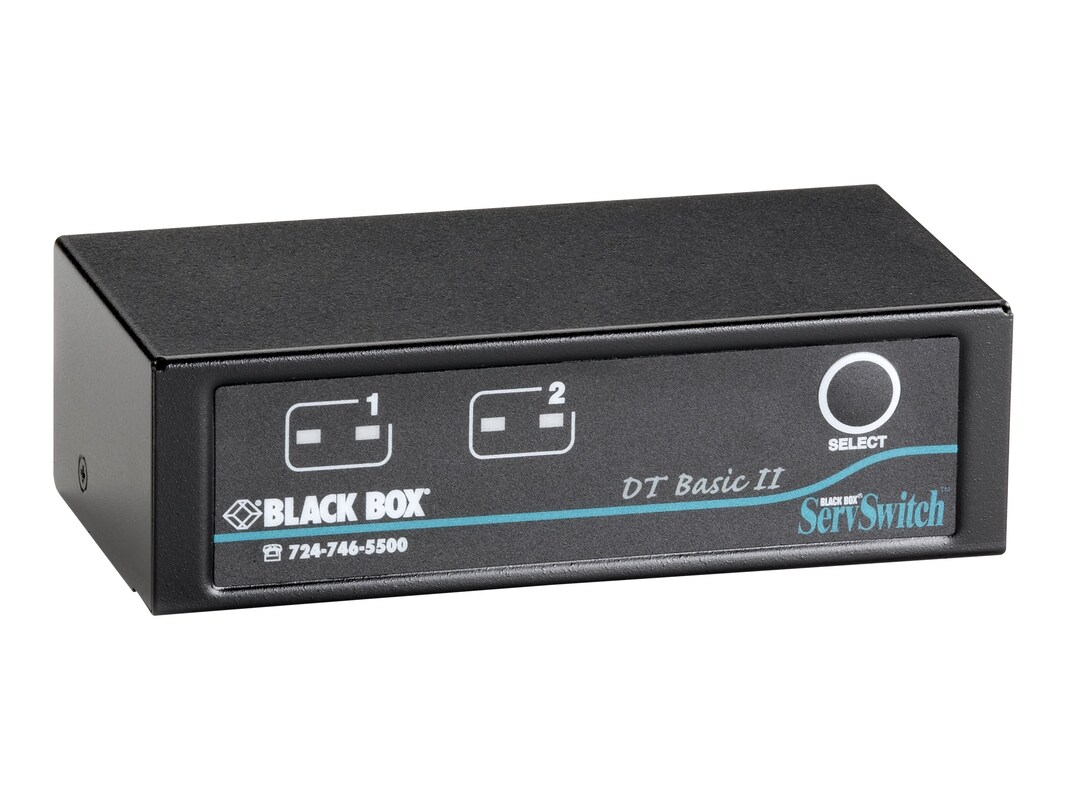
Compact, portable, and powered by the interface, the ServSwitch Desktop Basic 2-Port KVM Switch works with most Windows operating systems and requires no complicated setup. Its small footprint enables you to use it on or under a desk. Switching CPUs is easy. To select ports, use either hotkeys or front-panel buttons. When you switch manually, the buttons' LEDs light to show you the corresponding active ports. Or you can use the switch's Autoscan function to scan all connected computers automatically, one by one, at 10-second intervals. This way, you can monitor computer activity without having to press any keys or buttons.
-
# Ports: 9Connectivity Technology: WiredConnector: HD-15 (F)Connector: Mini DIN 6-pin (F)
-
KVM switch, documentation
-
Color: BlackForm Factor: DesktopManufacturer Product Line: Black Box ServSwitchModel: DT Basic II
-
Features:
This compact device enables you to switch between two PS/2 computers with a single PS/2 workstation
Eliminates the need for multiple PS/2 keyboards, mice, and monitors
Supports resolutions up to 1920 x 1440
Small footprint makes it versatile
Control switching with hotkeys or front-panel buttons, or run Autoscan on all ports
LEDs indicate selected ports
Supports Microsoft IntelliMouse, IntelliTrackball, and serial mice
Easy to set up - no software to configure -
Networking Type: KVM switch
-
1.6"H x 4.9"W x 2.7"D
-
CPU: Keyboard: (2) 6-pin mini DIN F
Mouse: (2) 6-pin mini DIN F
Monitor: (2) HD15 F
Console: Keyboard: (1) 6-pin mini DIN F
Mouse:(1) 6-pin mini DIN F
Monitor:(1) HD15 F -
Powered through the interface
-
This product is subject to our return policy. Please see our complete return policy for details.
-
1.06 lbs
-
43211601
-
Warranty Period: 1-year warranty

| Description | Availability | Unit Price | ||
|---|---|---|---|---|
| View All Warranties | ||||