AI PCs are next-generation personal computers designed to run artificial intelligence workloads locally, using specialized hardware like CPUs, GPUs, and NPUs (neural processing units). Unlike traditional PCs that rely heavily on cloud-based AI services, AI PCs enable real-time, on-device processing for tasks such as predictive text, image generation, threat detection, and data analysis. This shift enhances performance, privacy, and responsiveness.
Microsoft’s Copilot+ PC standard defines AI PCs as systems with at least 16GB RAM, 256GB storage, and NPUs capable of 40+ TOPS (trillions of operations per second). These devices also feature a dedicated Copilot key for quick access to AI tools. Major OEMs—HP, Lenovo, Dell, and others—are integrating AI PCs into their portfolios, often powered by Intel® Core™ Ultra, AMD Ryzen™ AI, or Qualcomm Snapdragon® X Elite processors.
AI PCs are not just a hardware upgrade—they represent a strategic leap into intelligent, secure, and adaptive computing.
Microsoft’s Copilot+ PC standard defines AI PCs as systems with at least 16GB RAM, 256GB storage, and NPUs capable of 40+ TOPS (trillions of operations per second). These devices also feature a dedicated Copilot key for quick access to AI tools. Major OEMs—HP, Lenovo, Dell, and others—are integrating AI PCs into their portfolios, often powered by Intel® Core™ Ultra, AMD Ryzen™ AI, or Qualcomm Snapdragon® X Elite processors.
AI PCs are not just a hardware upgrade—they represent a strategic leap into intelligent, secure, and adaptive computing.
Get To Know Surface Copilot+ PCs
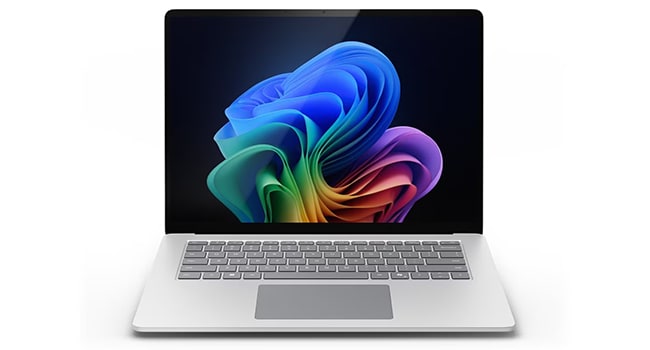
Surface Copilot+ PCs featuring Intel® Core™ Ultra Series 3 processors are the most secure Windows PCs by default, bringing together powerful on-device AI and enterprise-grade protection to help safeguard your data—wherever work happens. Surface Copilot+ PCs integrate seamlessly with Microsoft Intune, Entra, and Purview, giving IT teams the controls they need while empowering employees with next-generation productivity.

Decoding CPUs, GPUs, and NPUs
AI PCs combine CPUs, GPUs, and NPUs to deliver high-performance computing for everyday tasks, gaming, content creation, and AI-driven applications. NPUs accelerate artificial intelligence and machine learning, enabling features like voice recognition and real-time translation. Choosing the right mix of processors ensures your device meets current needs and is ready for future innovations.
AI PC Guide
Explore how AI PCs transform business computing with on-device intelligence, including architecture, security considerations, purchasing decisions, and organizational impact, along with a five-step framework for scalable, real-world deployment.What TOPS Means
Understanding AI Performance Metrics for Copilot+ PCs
Snapdragon® X Series processors power the new generation of Copilot+ PCs, enabling advanced AI features directly on your device. This document explains how Neural Processing Units (NPUs) deliver faster, more efficient AI experiences—like real-time assistance and enhanced privacy—without relying on the cloud. It introduces TOPS (trillions of operations per second) as the key metric for AI capability, with Snapdragon® X Elite setting a new standard at 45 TOPS. Learn how this translates into smoother multitasking, smarter apps, and better performance wherever you work.
Connection HP AI PC Video Series
Why Choose AI PCs?
Read Full Transcript
Hello and welcome. My name is Charles Thomas. I'm from HP's Amplify AI team. I'm very happy to be here to help answer the question why you should consider an AI PC from HP, or why does HP even make AI PCs?
Computing needs have evolved and the underlying factor is artificial intelligence. Look at the applications you use every day for work or for personal use. Are there any artificial intelligence tools that are now being applied to those?
My guess is yes, because we've seen a surge of tons of applications adopting AI. In fact, we've seen a ton of new applications being invented just in recent months and years. All thanks to artificial intelligence and those artificial intelligence tools.
They run better on an actual PC built and designed for running artificial intelligence. Much faster than even a standard PC that's not even a year old yet. In fact, we've seen data analysis workflows getting done 45% faster on an AI PC because they take advantage of those AI tools that they now provide. Same thing with media—30% faster on media processing and rendering on an AI PC because they're taking advantage of the artificial intelligence tools that those applications now come with.
Processing speeds faster, job production, and productivity—these are all strong points. But here's another strong point: security and privacy. Probably the most important. Think about all the bad stuff out there that AI's helping to develop—all the malware, scam artists getting better with their English—and better with their tricks—trying to get into your PC and steal your information to ruin your day.
At HP, we’re also using AI to help us fight back. In fact, HP's Wolf Security on our AI PCs have been trained through a deep learning model to understand and learn the behaviors behind malware. So that way if an unknown malware were to enter the system that's never been detected or seen outside the world before, HP's Wolf Security can identify it within milliseconds and nullify it before it does any damage.
It understands this is not acting like any software program. We know and immediately becomes suspicious of it. It's pretty cool. And you know what? HP's not the only one. Our friends at CrowdStrike and Proofpoint and dozens of others like McAfee, are also taking advantage of those AI tools to help them nullify threats before they actually harm you.
In fact, some of them can even identify deep fakes—deep fake voices and deep fake faces and pictures that AI is helping to develop. They can now identify if it’s a human you're talking to and help steer you to the right conversation you should be having.
Processing speeds faster, better security, and enhanced security for the future; but let’s also think about the costs that are associated with using a PC that has to rely on the cloud for anything that is artificial intelligence. You’re running programs and developing applications. If you get an HP AI PC with Copilot Plus, you can run that all for free on the PC without the cloud.
You get free tools for developing applications and updating applications and implementing your own AI tools. How's that not a good idea? Because now you can keep your products up to date now and in the future.
The fourth point is sustainability. This is also super important. I hate putting it in fourth, but think about all the energy that it takes for your PC to run AI. It tales milliwatts to run AI in your PC. Now imagine a data center—the kilowatts that it takes to run all of that electricity and the water and the energy and the heat putting out that it has. Believe me, these applications want you to run their AI on your PC because it costs a lot of money for them, but you're using so much less energy. I'm still plugged into the same wall outlet. My battery's the same as previous generation PCs. I'm not doing anything different there.
So, costs, productivity, security, and sustainability—all of these are excellent reasons why HP decided to evolve and make the AI PC a reality. Ask your Connection rep for more information.
Hello and welcome. My name is Charles Thomas. I'm from HP's Amplify AI team. I'm very happy to be here to help answer the question why you should consider an AI PC from HP, or why does HP even make AI PCs?
Computing needs have evolved and the underlying factor is artificial intelligence. Look at the applications you use every day for work or for personal use. Are there any artificial intelligence tools that are now being applied to those?
My guess is yes, because we've seen a surge of tons of applications adopting AI. In fact, we've seen a ton of new applications being invented just in recent months and years. All thanks to artificial intelligence and those artificial intelligence tools.
They run better on an actual PC built and designed for running artificial intelligence. Much faster than even a standard PC that's not even a year old yet. In fact, we've seen data analysis workflows getting done 45% faster on an AI PC because they take advantage of those AI tools that they now provide. Same thing with media—30% faster on media processing and rendering on an AI PC because they're taking advantage of the artificial intelligence tools that those applications now come with.
Processing speeds faster, job production, and productivity—these are all strong points. But here's another strong point: security and privacy. Probably the most important. Think about all the bad stuff out there that AI's helping to develop—all the malware, scam artists getting better with their English—and better with their tricks—trying to get into your PC and steal your information to ruin your day.
At HP, we’re also using AI to help us fight back. In fact, HP's Wolf Security on our AI PCs have been trained through a deep learning model to understand and learn the behaviors behind malware. So that way if an unknown malware were to enter the system that's never been detected or seen outside the world before, HP's Wolf Security can identify it within milliseconds and nullify it before it does any damage.
It understands this is not acting like any software program. We know and immediately becomes suspicious of it. It's pretty cool. And you know what? HP's not the only one. Our friends at CrowdStrike and Proofpoint and dozens of others like McAfee, are also taking advantage of those AI tools to help them nullify threats before they actually harm you.
In fact, some of them can even identify deep fakes—deep fake voices and deep fake faces and pictures that AI is helping to develop. They can now identify if it’s a human you're talking to and help steer you to the right conversation you should be having.
Processing speeds faster, better security, and enhanced security for the future; but let’s also think about the costs that are associated with using a PC that has to rely on the cloud for anything that is artificial intelligence. You’re running programs and developing applications. If you get an HP AI PC with Copilot Plus, you can run that all for free on the PC without the cloud.
You get free tools for developing applications and updating applications and implementing your own AI tools. How's that not a good idea? Because now you can keep your products up to date now and in the future.
The fourth point is sustainability. This is also super important. I hate putting it in fourth, but think about all the energy that it takes for your PC to run AI. It tales milliwatts to run AI in your PC. Now imagine a data center—the kilowatts that it takes to run all of that electricity and the water and the energy and the heat putting out that it has. Believe me, these applications want you to run their AI on your PC because it costs a lot of money for them, but you're using so much less energy. I'm still plugged into the same wall outlet. My battery's the same as previous generation PCs. I'm not doing anything different there.
So, costs, productivity, security, and sustainability—all of these are excellent reasons why HP decided to evolve and make the AI PC a reality. Ask your Connection rep for more information.
The apps and tools you use every day are now powered by built‑in intelligence. And to get the best experience, you need a PC that’s built for this new era. Devices designed with AI at their core deliver faster performance, smoother workflows, and smarter features that simply run better—because they’re engineered for it.
NPUs and TOPS Explained
Read Full Transcript
Hello and welcome. My name is Charles Thomas. I'm here with HP’s Amplify AI team, and I'm here to answer the questions: what is an NPU and what are TOPS?
First and foremost, NPUs are neural processing units and they’re built into the main processor of your PC. That means you have a CPU, a GPU, and now the NPU. Neural Processing Units are designed specifically to run AI tasks on your PC.
There’s a whole new slew of AI coming into our computers, and the CPU and GPU are getting overrun. It's causing delays in processing. It's increasing the heat coming from your computer, and it's also decreasing battery life. The NPU fixes all of it.
The NPUs can run AI tasks up to 10,000 times faster than your CPU can. What does that mean? That means now the CPU can do its job while the NPU offloads those tasks away from the CPU and GPU. Those are just some of the natural benefits of an NPU.
But not all NPUs are created equally, and that's where TOPS comes into play. That is how we measure the speed of an NPU. It stands for trillion operations per second. Most NPUs can run anywhere between 10 and 16 TOPS to do common tasks such as background blurring, noise suppression, and even Windows Studio effects or HP's Poly Camera Pro.
But if you want something that can do a lot more than those basic simplified AI tasks—run your own large language models, have retrieval augmented generation, stable diffusion, create images, all sorts of cool AI tasks—then you want to look for an NPU that has at least 40 TOPS.
Microsoft's Copilot Plus with Windows AI Foundry can help you develop and create your own applications and actually upload and download your own large language models on your PC. You can even turn off the Internet and have those AI applications running. So that's an NPU, and those are TOPS.
NPUs are being built by AMD, Intel, and Qualcomm, and are easily found within HP's portfolio of PCs. Just let any of your Connection reps know that you're interested and we can get you more information.
Hello and welcome. My name is Charles Thomas. I'm here with HP’s Amplify AI team, and I'm here to answer the questions: what is an NPU and what are TOPS?
First and foremost, NPUs are neural processing units and they’re built into the main processor of your PC. That means you have a CPU, a GPU, and now the NPU. Neural Processing Units are designed specifically to run AI tasks on your PC.
There’s a whole new slew of AI coming into our computers, and the CPU and GPU are getting overrun. It's causing delays in processing. It's increasing the heat coming from your computer, and it's also decreasing battery life. The NPU fixes all of it.
The NPUs can run AI tasks up to 10,000 times faster than your CPU can. What does that mean? That means now the CPU can do its job while the NPU offloads those tasks away from the CPU and GPU. Those are just some of the natural benefits of an NPU.
But not all NPUs are created equally, and that's where TOPS comes into play. That is how we measure the speed of an NPU. It stands for trillion operations per second. Most NPUs can run anywhere between 10 and 16 TOPS to do common tasks such as background blurring, noise suppression, and even Windows Studio effects or HP's Poly Camera Pro.
But if you want something that can do a lot more than those basic simplified AI tasks—run your own large language models, have retrieval augmented generation, stable diffusion, create images, all sorts of cool AI tasks—then you want to look for an NPU that has at least 40 TOPS.
Microsoft's Copilot Plus with Windows AI Foundry can help you develop and create your own applications and actually upload and download your own large language models on your PC. You can even turn off the Internet and have those AI applications running. So that's an NPU, and those are TOPS.
NPUs are being built by AMD, Intel, and Qualcomm, and are easily found within HP's portfolio of PCs. Just let any of your Connection reps know that you're interested and we can get you more information.
Built for AI, an NPU takes the heat—literally—off your CPU and GPU, keeping your device cooler, faster, and running longer. Skip the slowdown and battery drain that come with AI tasks on traditional hardware. With blazing‑fast performance measured in TOPS (trillions of operations per second), an NPU delivers the speed your AI experiences crave.

Futureproof Your Workspace with HP AMD Ryzen™ Copilot+ PCs
A new class of PCs that bring together HP’s commercial design and security, AMD Ryzen™ AI PRO performance, and Copilot+ PC experiences in Windows 11—built to help teams work faster, collaborate better, and stay protected.- Advanced language models, contextual reasoning, and intelligent assistance inside the apps you use every day
- Up to 55 TOPS NPU performance with AMD Ryzen™ AI PRO 300 Series
- Unified security from HP, AMD, and Microsoft—built for business
Microsoft 365 Copilot
Your AI-powered partner for smarter work, faster decisions, and seamless productivity across Microsoft 365
Microsoft 365 Copilot is an AI-powered assistant integrated into Microsoft 365 apps like Word, Excel, PowerPoint, Outlook, and Teams. It enhances productivity by automating tasks such as summarizing documents, analyzing data, drafting emails, and generating presentations. Copilot uses Microsoft Graph and generative AI models to deliver context-aware responses based on user prompts. Organizations use Copilot to streamline workflows, improve collaboration, and unlock strategic insights, with analytics dashboards tracking adoption, usage, and productivity impact across teams.

Connection Copilot for Microsoft 365 Workshop
Embark on the initial stages of bringing AI into the workplace with our Copilot for Microsoft 365 Workshop. Designed as a three-phase engagement, this workshop helps you assess needs, prioritize Copilot scenarios, and define an actionable roadmap. It also offers insight into your readiness and uncovers optimization opportunities through targeted services that develop your data estate, analyze and augment access, and maximize security. Let Connection help prepare you for Copilot and achieve its full benefits and ROI.

Microsoft 365 Copilot Technical Readiness Assessment
Microsoft 365 Copilot is revolutionizing the workplace—but proper planning is needed to achieve the desired result. Connection is here to help adequately prepare you for deployment. To maximize your experience, our team of Microsoft experts will help create an actionable approach to preparing your organization for a seamless implementation of Microsoft Copilot. With our technical readiness assessment, we can assess, identify, and demonstrate an overview of our findings to better prepare your organization for a rollout. This enables you to make informed decisions and appropriate actions based on our recommendations, leading the way to a smooth deployment of Microsoft 365 Copilot.

Find Your Perfect Match
Discover Lenovo Aura Edition laptops with Intel® Core™ Ultra 7 processors powering Intel vPro®—engineered for creators and professionals who demand performance, security, and style.Dell Pro Max with GB10
The AI Accelerator for Visionaries
The Dell Pro Max with GB10 is not a traditional workstation—it’s a purpose-built AI accelerator designed for developers, researchers, and organizations who need data center-class performance in a compact, ready-to-deploy form factor.

Local AI Performance: No Cloud Costs or Limits

Compact, Edge-ready Design

Scalable, Ultra-low Latency Interconnect
AI PCs
15